Bank M-PESA PayBill Numbers in Kenya
Fact-checked on
In this article
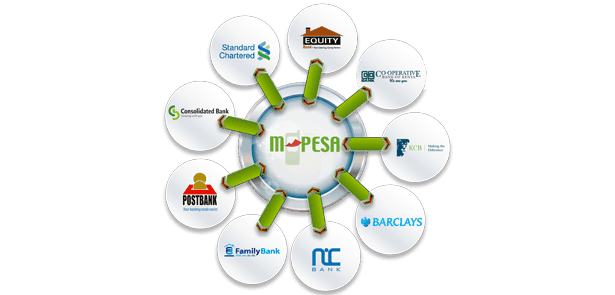
Use a bank’s verified M-PESA PayBill to send money from M-PESA into an eligible bank account. The PayBill identifies the business receiving the payment; the account reference identifies the destination account or product.
The list below contains six verified bank payment channels. It is not a complete list of banks, SACCOs and microfinance institutions, and it does not preserve historical numbers simply because they appeared in the old article.
Verified bank PayBill numbers
| Bank | M-PESA PayBill | Account-reference guidance |
|---|---|---|
| KCB Bank Kenya | 522522 | Use the destination account or product reference specified by KCB. Its Mobi Chama guide says to use the Chama account number. |
| Equity Bank Kenya | 247247 | Use the bank account or collection reference supplied for the specific payment. Merchant Till references are not interchangeable with personal account numbers. |
| Co-operative Bank of Kenya | 400200 | Enter the Co-op Bank account number you want to deposit into. |
| NCBA Bank Kenya | 880100 | Use the destination reference prescribed by NCBA. NCBA Till uses an assigned short code. |
| Family Bank | 222111 | Enter the customer’s full 12-digit Family Bank account number. |
| Stanbic Bank Kenya | 600100 | Confirm the destination product. Stanbic’s Chama wallet has its own reference format, described below. |
These channels are supported by the banks’ own information and Safaricom’s published banking list. They are not a guarantee that one account-reference format works for every service offered by the bank.
Special references matter
- Equity’s Pay with Equity merchant service uses the merchant’s Till number as the account reference under PayBill 247247. Do not substitute your personal account number for a merchant payment.
- NCBA Till uses an assigned short code under PayBill 880100. Ask the merchant for its correct reference.
- Stanbic’s Chama app guide says a personal-wallet reference starts with 555, followed by the phone number registered for the Chama app. This is a wallet instruction, not the format for every Stanbic account.
- KCB publishes a separate KCB M-PESA loan PayBill, 522559, using the borrower’s ID number. Do not assume that the ordinary 522522 banking PayBill is the correct loan-repayment route.
For an unfamiliar product, get the instructions from the bank itself before sending money.
How to send money from M-PESA to a bank
- Open the M-PESA menu and choose Lipa na M-PESA, then Pay Bill.
- Enter the bank’s verified business number.
- Enter the destination bank account or prescribed reference exactly as instructed.
- Enter the amount and review the details and applicable charge.
- Authenticate the transaction only after confirming that you are using the correct channel and reference.
- Keep the M-PESA confirmation and check the bank or beneficiary’s confirmation that the correct account was credited.
If a name or other confirmation detail appears and is unexpected, stop and ask the bank to verify it. An M-PESA success message alone does not prove that you entered the intended beneficiary’s account reference.
Bank-to-M-PESA is a different direction
A bank’s USSD banking code is not the same as its M-PESA PayBill. This article concerns sending money from M-PESA to a bank. Follow the bank’s app or current banking instructions to move money in the opposite direction.
Historical lists can retain former bank names and discontinued products. Do not use a number associated with a former institution merely because an old guide lists it.
Warning: Never disclose your M-PESA PIN or one-time banking codes to someone claiming they need them to trace or reverse a deposit. Contact the bank through its independently verified channel.
Related reading
Sources and useful links
- Safaricom: mobile banking codes, 2025 list
- Safaricom: M-PESA and your bank
- KCB: Mobi Chama deposit instructions
- Equity: collection account and PayBill channel
- Co-op Bank: PayBill 400200
- NCBA: payment services and bank PayBill
- Family Bank: M-PESA deposit instructions
- Stanbic: Chama wallet reference instructions
- KCB: separate KCB M-PESA loan instructions
- Equity: Pay with Equity merchant references
- NCBA: Till reference FAQs